
Paid Leave client premium rate download
To search for a file containing all of your clients Paid Leave premium rates:
- Log in to your agent account at ui.mn.gov
- On My Home Page, select Searches.
- Select Paid Leave client premium rate download.
- Enter date parameters to limit your search or leave date fields blank to search for all employer client Paid Leave premium rate files, and then select Search.
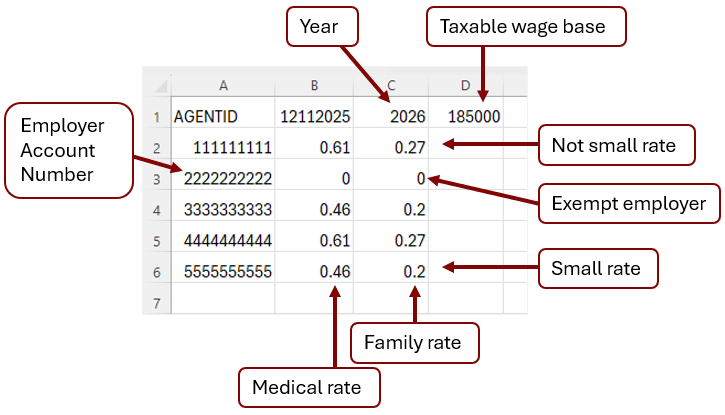
- Select the File ID link for the create date (date the rate download file was created) you want to view. (See example)
Review the How to read the CSV (comma-delimited) Paid Leave client premium rate file for additional information interpreting the file.